
Chào team mê đồ cổ! Mình xin chia sẻ cách hạ cấp iPhone 4 về iOS 6 mà không cần SHSH năm 2020 nha. Nhưng mà disclaimer trước: cách này sẽ xóa sạch dữ liệu luôn đó, nên trước khi làm phải sao lưu kỹ ảnh, danh bạ, activation_records và nhớ thoát iCloud trước nhen!
Lưu ý quan trọng: iPhone 4 hạ về iOS 6.1.3 thì ít app hỗ trợ hoặc không được hỗ trợ luôn á, chỉ dùng để nghe gọi cho mượt mà thôi nên các bạn cũng cân nhắc kỹ rồi hãy làm. Sau khi hạ cấp, máy có thể bật tắt nguồn, reset dòng 2 và kích hoạt lên bình thường nha.
Lưu ý nữa: iPhone 4 này phải là iPhone 4 có mã iPhone3,1, không phải iPhone 3,2 đâu nhé. Mình chưa có máy mã iPhone3,2 để test nên không chắc được đâu
A. Chuẩn bị gì nào: ️
Danh sách đồ nghề cần có (những dòng bôi đậm là file và tool bắt buộc phải cài, những cái khác có thể bỏ qua không dùng, riêng iTunes thì tùy chọn cài theo Windows bạn đang xài nhé):
1. idevicererestore.zip
2. idevicerestore.zip
3. ifaith-v1.5.9.zip
4. iPhone3,1_6.0_10A403_Restore.ipsw
5. iPhone3,1_6.1.2_10B146_Restore_iFaith.ipsw
6. iPhone3,1_6.1.3_10B329_Restore_Patched.ipsw
7. iPhone3,1_7.1.2_11D257_Restore.ipsw
8. ireb-r7.zip
9. iTools_1.8.4.9.zip
10. iTunes_11.0.5.5_32bit.zip
11. iTunes_11.0.5.5_64bit.zip
12. redsn0w_win_0.9.15b3.zip
13. 3uTools
B. Bắt tay vào làm thôi:
Bước 1: iPhone 4 ở chế độ bình thường, cắm cáp kết nối, giải nén và mở thư mục idevicerestore, chuột phải vào khoảng trống và giữ phím Shift chọn "Open command window here" để mở cửa sổ CMD rồi gõ và enter:
```
idevicerestore -t iPhone3,1_7.1.2_11D257_Restore.ipsw
```
iPhone3,1_7.1.2_11D257_Restore.ipsw là firmware iOS 7.1.2 của iPhone 4, có thể chép chung vào thư mục idevicerestore hoặc lúc gõ tới
idevicerestore -t thì kéo file iPhone3,1_7.1.2_11D257_Restore.ipsw vào cửa sổ CMD cũng được luôn, tools sẽ tự động nhận diện đường dẫn và get ra được shsh iOS 7.1.2 của máy iPhone 4 trong thư mục shsh. Giữ lại file này, tắt cửa sổ CMD đi.VD: 2654977965325-iPhone3,1-7.1.2.shsh
Bước 2: iPhone 4 đang chạy iOS 7.1.2, Jailbreak máy đi nào, thêm nguồn repo.tihmstar.net, cài tweak kDFUapp và mở lên, tích chọn toàn bộ rồi enterDFU - máy sẽ tự đưa về chế độ DFU mềm.
Bước 3: Vẫn giữ nguyên cáp kết nối ở chế độ DFU mềm, mở thư mục idevicererestore, cũng chuột phải vào khoảng trống và giữ phím Shift chọn "Open command window here" để mở cửa sổ CMD rồi gõ và enter:
```
idevicererestore -r iPhone3,1_6.1.3_10B329_Restore_Patched.ipsw
```
iPhone3,1_6.1.3_10B329_Restore_Patched.ipsw là firmware đã patched iOS 6.1.3 của iPhone 4, có thể chép chung vào thư mục idevicererestore hoặc lúc gõ tới
idevicererestore -r thì kéo file iPhone3,1_6.1.3_10B329_Restore_Patched.ipsw vào cửa sổ CMD cũng được rồi nhấn enter.Đoạn này nó sẽ báo lỗi vì thiếu shsh ở dòng lệnh CMD đó, nhìn kỹ và copy cái đoạn mà tool nó yêu cầu file shsh này lại.
VD: 2654977965325-iPhone3,1-6.1.3-10B329.shsh
Từ từ chút! Đoạn này ta sẽ tráo shsh thủ công bằng cách: copy file shsh iOS 7.1.2 vừa get được tại thư mục idevicerestore/shsh và dán vào idevicererestore/shsh rồi sau đó đổi tên cái file 2654977965325-iPhone3,1-7.1.2.shsh thành 2654977965325-iPhone3,1-6.1.3-10B329.shsh như tool yêu cầu.
Quay trở lại cửa sổ CMD vừa nãy, gõ lại 1 lần nữa rồi nhấn enter:
```
idevicererestore -r iPhone3,1_6.1.3_10B329_Restore_Patched.ipsw
```
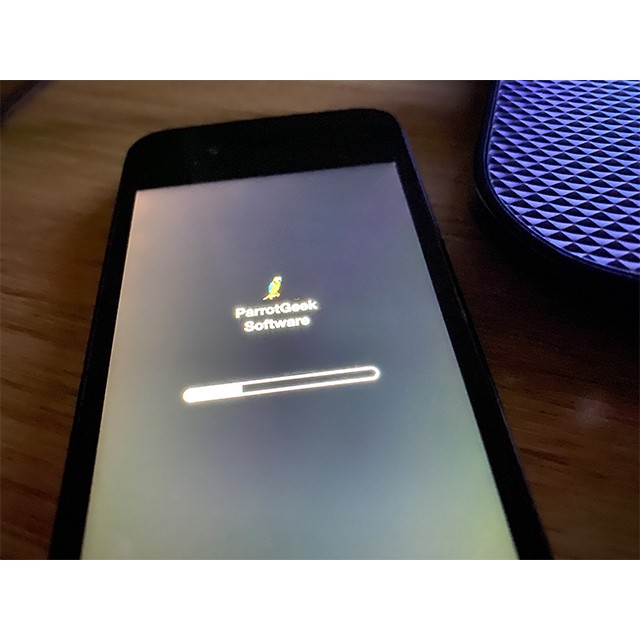
Để nguyên đó, tools sẽ restore file firmware đã được patched, quá trình này mất khoảng 10 phút, hãy kiên nhẫn chờ đợi nhé!

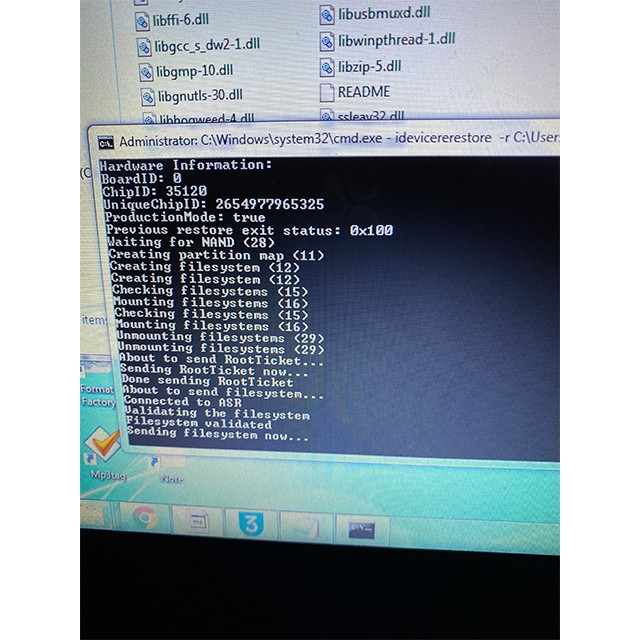
Log mẫu để các bạn tham khảo:
```
idevicererestore -r iPhone3,1_6.1.3_10B329_Restore_Patched.ipsw
NOTE: using cached version data
Found device in DFU mode
Identified device as n90ap, iPhone3,1
Extracting BuildManifest from IPSW
Product Version: 6.1.3
Product Build: 10B329 Major: 10
Found ECID 2654977965325
Getting ApNonce in dfu mode... bf76e1e95b3d2878d9ef5df5aae2f2b7e7279f0e
checking for local shsh
Using local SHSH
Extracting 048-2441-007.dmg...
Extracting 048-2533-005.dmg...
Variant: Customer Erase Install (IPSW)
This restore will erase your device data.
Extracting filesystem from IPSW
Extracting iBSS.n90ap.RELEASE.dfu...
Sending iBSS (67832 bytes)...
Nonce: bf 76 e1 e9 5b 3d 28 78 d9 ef 5d f5 aa e2 f2 b7 e7 27 9f 0e
Extracting iBEC.n90ap.RELEASE.dfu...
Sending iBEC (280824 bytes)...
INFO: device serial number is 5K117AMWA4T
Successfully entered iBEC
Device: iPhone3,1
Downloading baseband firmware.
Getting ApNonce in recovery mode... bf76e1e95b3d2878d9ef5df5aae2f2b7e7279f0e
Sending APTicket (2741 bytes)
Recovery Mode Environment:
iBoot build-version=iBoot-1537.9.55
iBoot build-style=RELEASE
Sending RestoreLogo...
Extracting [email protected]...
Not personalizing component RestoreLogo...
Sending RestoreLogo (14976 bytes)...
[WARNING] If your device is not showing an Apple logo, then your APTicket may be incompatible.
ramdisk-size=RELEASE
Extracting 048-2441-007.dmg...
Not personalizing component RestoreRamDisk...
Sending RestoreRamDisk (16099476 bytes)...
Extracting DeviceTree.n90ap.img3...
Not personalizing component RestoreDeviceTree...
Sending RestoreDeviceTree (74248 bytes)...
Extracting kernelcache.release.n90...
Not personalizing component RestoreKernelCache...
Sending RestoreKernelCache (7415924 bytes)...
About to restore device...
Waiting for device...
Device d112dae3a04ca4fd8839a43ddea3e1943a0e59a3 is now connected in restore mode ...
Connecting now...
Connected to com.apple.mobile.restored, version 12
Device d112dae3a04ca4fd8839a43ddea3e1943a0e59a3 has successfully entered restore mode
Hardware Information:
BoardID: 0
ChipID: 35120
UniqueChipID: 2654977965325
ProductionMode: true
Previous restore exit status: 0x100
Waiting for NAND (28)
Creating partition map (11)
Creating filesystem (12)
Checking filesystems (15)
Mounting filesystems (16)
Unmounting filesystems (29)
About to send RootTicket...
Sending RootTicket now...
Done sending RootTicket
About to send filesystem...
Connected to ASR
Validating the filesystem
Filesystem validated
Sending filesystem now...
Done sending filesystem
Verifying restore (14)
About to send KernelCache...
Extracting kernelcache.release.n90...
Not personalizing component KernelCache...
Sending KernelCache now...
Done sending KernelCache
Installing kernelcache (27)
Fixing up /var (17)
Modifying persistent boot-args (25)
About to send NORData...
Found firmware path Firmware/all_flash/all_flash.n90ap.production
Getting firmware manifest from Firmware/all_flash/all_flash.n90ap.production/manifest
Extracting LLB.n90ap.RELEASE.img3...
Personalizing IMG3 component LLB...
reconstructed size: 133593
Not personalizing component DeviceTree...
Not personalizing component AppleLogo...
Extracting batterycharging0@2x~iphone.s5l8930x.img3...
Not personalizing component BatteryCharging0...
Extracting batterycharging1@2x~iphone.s5l8930x.img3...
Not personalizing component BatteryCharging1...
Extracting batteryfull@2x~iphone.s5l8930x.img3...
Not personalizing component BatteryFull...
Extracting batterylow0@2x~iphone.s5l8930x.img3...
Not personalizing component BatteryLow0...
Extracting batterylow1@2x~iphone.s5l8930x.img3...
Not personalizing component BatteryLow1...
Extracting glyphplugin@2x~iphone-30pin.s5l8930x.img3...
Not personalizing component BatteryPlugin...
Extracting iBoot.n90ap.RELEASE.img3...
Not personalizing component iBoot...
Extracting recoverymode@2x~iphone.s5l8930x.img3...
Not personalizing component RecoveryMode...
Sending NORData now...
Done sending NORData
Flashing firmware (18)
Updating gas gauge software (46)
Creating system key bag (49)
Resizing system partition (51)
Unmounting filesystems (29)
Got status message
Status: Restore Finished
Cleaning up...
DONE
```
 Một vài lỗi hay gặp:
Nếu ngay từ bước đầu, iPhone 4 tuy đã JB và cài tweak kDFUapp mà không thể tự động đưa về DFU mềm được, báo lỗi ERROR thì buộc lòng phải hạ cấp tạm thời theo cách cũ trước đây, tức là mỗi lần tắt máy/hết pin phải justboot bằng redsn0w_win_0.9.15b3... Sau đó JB và cài Tweak kDFUapp, lúc này 100% máy sẽ đưa về DFU mềm, có thể thao tác restore firmware patched mà không gặp trở ngại gì nữa.
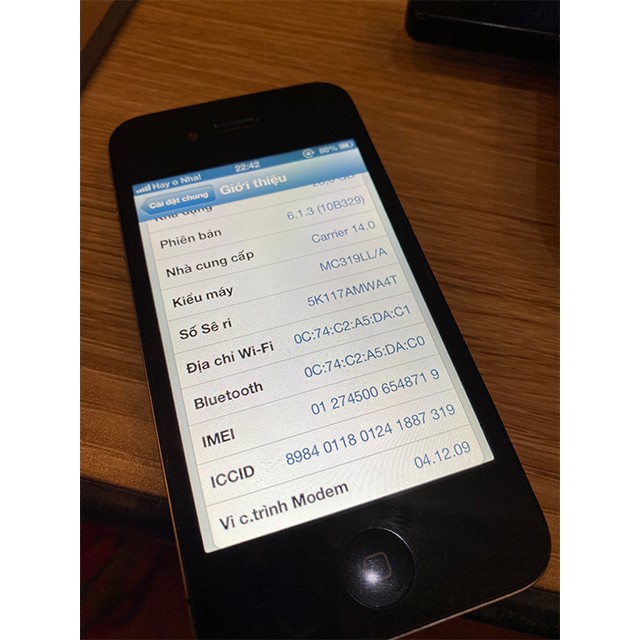
Nguồn: tinhte.vn